Quick Answer
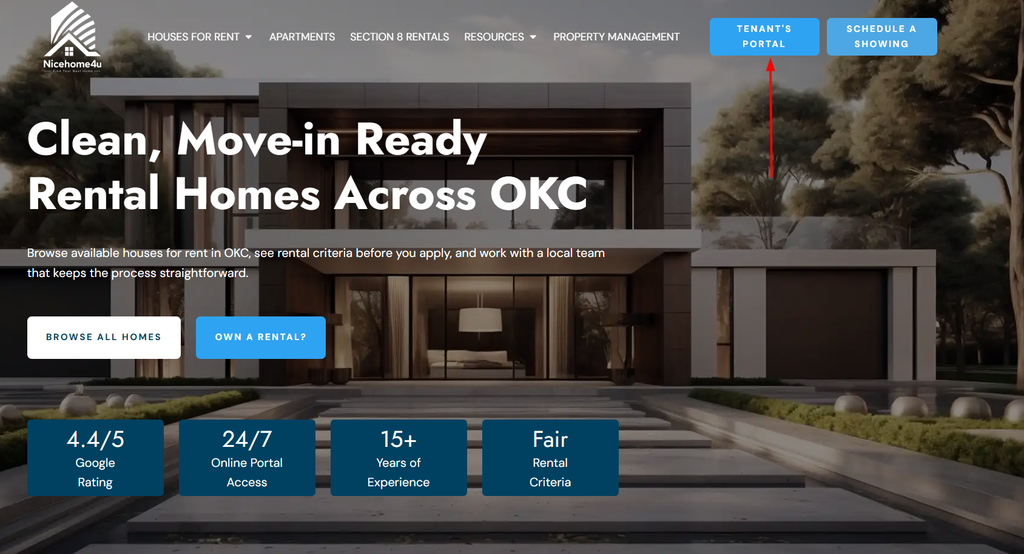
Check Nicehome4u’s DIY Maintenance Library for a relevant video if the issue is suitable for safe troubleshooting. If the problem persists, click the Tenant’s Portal button in the top-right corner of the page, sign in with your registered email and password, and submit a maintenance request. For emergencies, follow NiceHome4U’s emergency instructions.
A dripping faucet, an AC problem, or an appliance that stops working can disrupt your day. Knowing where to find troubleshooting guidance and when to ask for professional help can make it easier to decide what to do next.
Step 1: Find the Right DIY Maintenance Video for Your Problem
Nicehome4u’s DIY Maintenance Library organizes troubleshooting videos and guides by household issue. Start with the category that best matches the problem in your rental home. The library covers topics such as electrical issues, HVAC, plumbing, appliances, and winter weather.
Choose the Video That Matches the Issue
Look for a guide related to what you are experiencing:
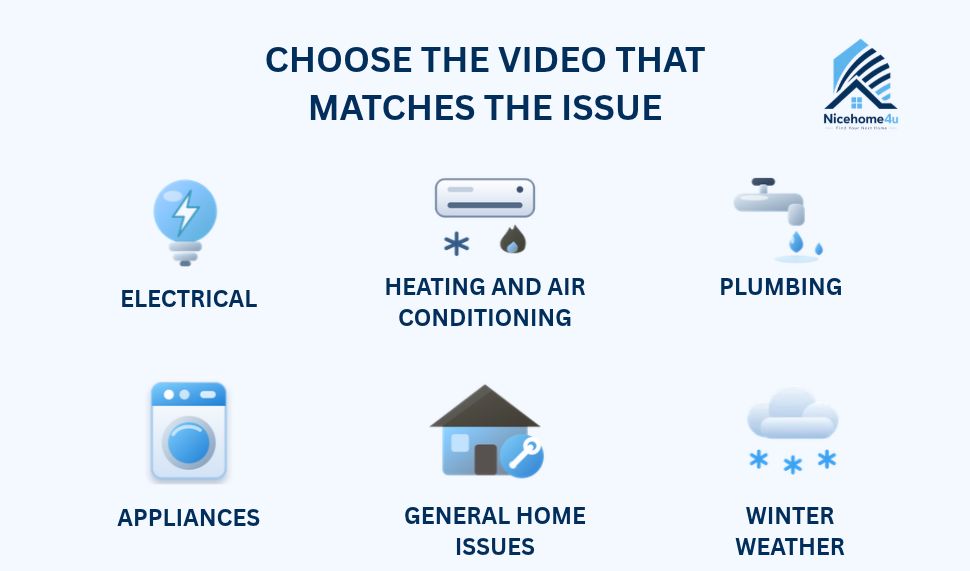
- Electrical: Resetting a circuit breaker or GFCI outlet, or replacing smoke detector batteries.
- Heating and air conditioning: Changing an HVAC filter, replacing thermostat batteries, or understanding why ice forms on an AC unit.
- Plumbing: Unclogging a toilet or drain, addressing a running toilet, or shutting off water during a leak.
- Appliances: Troubleshooting a refrigerator that is not cooling properly or a gas stove burner that will not light.
- General home issues: Checking guidance for common problems with doors, lights, and other household fixtures where a relevant guide is available.
- Winter weather: Covering outdoor faucets and learning what to do if pipes freeze.
Follow the Video Only When It Is Safe
Choose a guide that matches your situation, and follow its instructions only if you feel comfortable doing so. Do not guess at a repair, force a component, or attempt work that could put you at risk.
If the instructions do not match the problem, stop rather than improvising. The same applies when a repair requires skills or tools you do not have.
Step 2: Know When to Stop Troubleshooting
A troubleshooting video may help with a suitable, simple issue, but it will not resolve every maintenance problem. If the suggested steps do not work, stop rather than repeating them or experimenting with unfamiliar repairs.
Submit a Request When the Problem Persists
Submit a maintenance request if:
- The problem continues after you try the relevant guidance.
- The issue returns after a temporary improvement.
- The problem gets worse, or you notice additional damage.
- The next step requires work you are not comfortable performing.
Mention the troubleshooting you tried when you report the issue.
Do Not Delay Reporting an Emergency
Some problems need immediate action rather than routine troubleshooting. Gas leaks, active flooding, and fire can pose immediate risks. If there is immediate danger, call 911 first.
- Then call Nicehome4u’s 24/7 emergency line at (405) 232-5800, following the company’s emergency instructions.
- Do not attempt a DIY fix if it could put you or others at risk.
For non-emergency problems, submit a request through the tenant portal or contact the office. If you are unsure whether an issue can wait for routine maintenance, read our guide to emergency repairs vs. routine maintenance.
Step 3: Submit a Maintenance Request Through the Nicehome4u Tenant Portal
Use the Nicehome4u tenant portal to report a maintenance issue online. You must be able to sign in to your AppFolio resident account before you can submit a request through the portal.
How to Access Your AppFolio Resident Account
Click the Tenant’s Portal button on the NiceHome4U website to open the AppFolio login page.
Enter the email address and password associated with your Nicehome4u resident account. Your login details must match the account records in AppFolio. If they do not match, you will not be able to sign in.
How to Submit a Maintenance Request Through the Tenant Portal
After signing in, open the maintenance request option in your resident account.
- Describe the problem. Explain the issue in the request field.
- Add photos. Attach clear photos of the affected area when useful and safe to take.
- Provide access details. Include any relevant access instructions requested by the form. Follow your lease and any instructions provided by Nicehome4u about property access.
- Review and submit. Check that your details are accurate, then submit the request using the option shown in the portal. Keep any confirmation or request number provided.
What If You Cannot Sign In?
If AppFolio rejects your login details, check that you are using the email address associated with your resident account and that you entered your password correctly. If you still cannot access the account, contact Nicehome4u through the contact options on its website and explain that you need help accessing the portal to report a maintenance issue.
Step 4: Give the Nicehome4u Team the Details It Needs
A clear maintenance report helps the Nicehome4u team understand the problem and assess what repair may be needed. Focus on what you observed rather than trying to diagnose the cause.
Include These Four Details in Your Request
- What is wrong? Describe the visible problem. For example, say the AC runs but the room stays warm instead of guessing that it has a refrigerant leak.
- Where is it happening? Identify the room, fixture, appliance, or affected area so the team knows where to look.
- When did it start? Mention when you first noticed the issue and whether it happens continuously or only sometimes.
- What have you tried? Mention any relevant troubleshooting guidance you followed and explain whether it helped, made no difference, or changed the problem.
Example of a Helpful Maintenance Request
“The AC in the living room is running, but the living room is not cooling properly. I checked the thermostat and followed the relevant filter guidance in the DIY Maintenance Library, but the problem continues. I first noticed it yesterday. I have attached a photo of the thermostat.”
This report gives the team the symptoms, location, timing, troubleshooting history, and a relevant photo. A message that simply says “The AC is broken” leaves those details unclear and may require follow-up questions before the team can assess the issue.
Step 5: Track the Request and Respond to Follow-Up Questions
Check for Updates in the Tenant Portal
Sign in to your resident account to check your maintenance request status and messages from your property manager. Nicehome4u’s portal provides request status tracking and direct messaging with your property manager. If the team contacts you for additional information, respond through the available messaging option so they can continue addressing your request.
Follow Up if the Problem Continues or Gets Worse
If the problem persists or changes after you submit your request, send a follow-up message through the portal and refer to your original request. Explain what has changed, such as a leak spreading or the AC no longer cooling at all. If the situation becomes an emergency, use Nicehome4u’s emergency process rather than waiting for a portal update.
Get Help When a Maintenance Issue Persists
Not every maintenance problem can be fixed with a quick troubleshooting step. Nicehome4u’s DIY Maintenance Library helps you check common issues, and the tenant portal gives you a way to submit a maintenance request when further attention is needed. Explain the problem clearly, mention what you have tried, and contact us if you need help with your request.